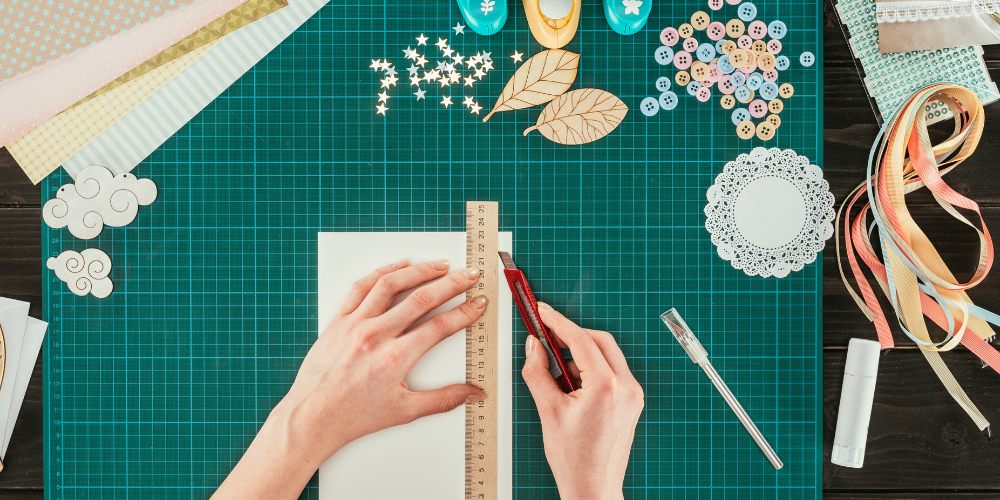

Scrapbooking Lets You Unleash Your Creativity

It's time to explore the art of scrapbook page layout design. Whether you're new to this wonderful world of scrapbooking or a seasoned pro, mastering the art of layout design is crucial for bringing your memories to life in a visually captivating way. So, grab your favourite photos, papers, and embellishments, and let's get started on creating a scrapbook layout that truly reflects your unique style and personality.

Designing a scrapbook layout is all about embracing the creative process. It's not about following strict rules, but rather letting your imagination run wild. Remember, there's no right or wrong way to design a layout, so don't be afraid to experiment and try new things. Your style will evolve, so enjoy the journey and have fun with it!

Before diving into the actual layout design, it's essential to select the key elements that will bring your page to life. Start by choosing the photos that you want to feature. Whether it's a special family gathering, a fun vacation, or everyday moments, your photos are the heart of your layout. Once you've selected your photos, gather papers, embellishments, and any other decorative elements that complement the theme and mood of your photos.

Now, it's time to plan the composition of your layout. Think about the story you want to tell with your photos. Do you want to create a chronological narrative, a thematic collage, or a visually striking focal point? Consider the placement of your photos, papers, and embellishments to achieve a balanced and visually appealing composition. Don't be afraid to play around with different arrangements until you find the perfect layout that speaks to you.

The beauty of scrapbooking lies in the personal touches that make each layout unique. Consider incorporating handwritten journaling, meaningful quotes, or little mementos that hold sentimental value. These personal touches add depth to your layout and make it a cherished keepsake for years to come.

Here are a few tips and tricks to elevate your scrapbook page layout design:

Layering: Experiment with layering different papers and embellishments to add dimension and visual interest to your layout.
Whitespace: Embrace whitespace to give your layout breathing room and draw attention to the focal points.
Colour and Texture: Play with various colours and textures to create a dynamic and eye-catching layout.
Consistency: Establish a consistent theme or colour scheme to tie your layout together cohesively.

Designing a captivating scrapbook layout is a delightful blend of creativity, storytelling, and personal expression. There are endless possibilities to explore, so don't be afraid to push the boundaries and let your imagination soar. Remember, each layout is a reflection of your unique perspective and experiences, making it a beautiful testament to the moments that matter most.

So, go ahead and unleash your creativity onto those blank pages. Happy scrapbooking!

Comments

Popular posts from this blog

The Art of Scrapbooking with Negative Space: Elevate Your Memory Keeping

Scrapbooking is a beloved craft that allows us to preserve memories, tell stories, and showcase creativity through photos, embellishments, and journaling. While many scrapbookers focus on filling every inch of their pages with decorations and memorabilia, there is a powerful design principle that can transform your layouts into stunning works of art: negative space. I will explore what negative space is, why it matters in scrapbooking, and how you can use it to create elegant, balanced, and visually striking scrapbook pages. Understanding Negative Space in Scrapbooking Negative space, also known as white space, refers to the empty or unmarked areas around and between the elements on a page. It is the “breathing room” that allows the eye to rest and helps define the boundaries of the focal points. In scrapbooking, negative space is not just blank or wasted space; it is a deliberate design choice that enhances the overall composition. Think of negative space as the silent partner to your...

Building Loyal Communities Over Chasing Viral Views for Your Website

It’s tempting to focus all your energy on chasing viral views - those fleeting moments when your content explodes in popularity and floods your website with traffic. While viral hits can bring short-term spikes, they rarely translate into sustained success. Instead, building loyal communities around your website offers a far more rewarding and sustainable path to growth. I will explore why cultivating a loyal audience matters more than chasing viral fame and how you can foster a thriving community that supports your website long-term. The Pitfalls of Chasing Viral Views 1. Ephemeral Attention Viral content is like a shooting star—bright and captivating but short-lived. The surge in traffic often lasts only a few days or weeks before fading away. This means the majority of visitors may never return, leaving your website with little lasting engagement. 2. Unpredictable and Uncontrollable Viral success is notoriously unpredictable. You can’t guarantee which piece of content will catch fir...

Embrace Shutter Speed, Aperture, and ISO Instead of Staying in Auto Mode

If you’re still trying to wrap your head around shutter speed, aperture, and ISO, it can be tempting to revert to Auto mode rather than practicing what you don’t understand. That’s a huge mistake! While Auto mode might seem like a safe haven, especially when you’re just starting out, it ultimately limits your creative potential and your growth as a photographer. In this blog post, we’ll explore why diving into these fundamental settings is crucial, how they work together, and practical tips to help you gain confidence in manual controls. Why Auto Mode Can Hold You Back Auto mode is designed to make photography easy by letting the camera decide all the settings for you. It’s convenient, but it also means: Lack of creative control. Your camera’s decisions are based on algorithms, not your artistic vision. Missed learning opportunities: Without experimenting, you won’t understand how different settings affect your images. Inconsistent results: Auto mode can struggle in tricky lighting sit...